Sample CR Analyzer output

View Sample Reports

These screenshots show the portal views prepared from uploaded Crystal Reports, including sort modes, related-report matching, export-ready grids, and ERD join cards.

3sample reports
8tables
112fields
9joins
3parameters
9formula / RT / SQL rows
Data Dictionary

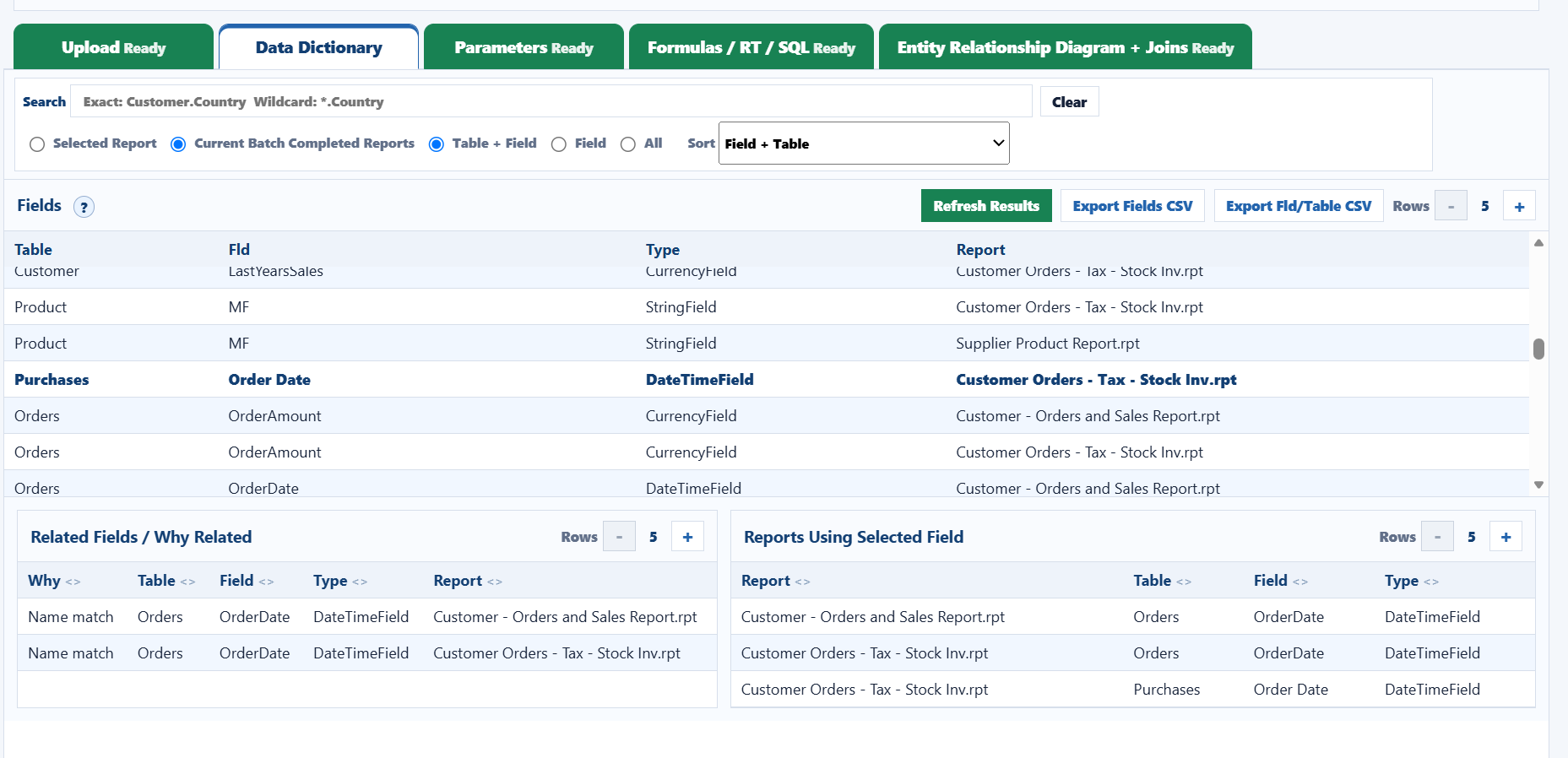
Sort and search fields by table, field, or report.

The data dictionary view lets users switch sort modes, search exact table.field values or wildcard fields, and export both full field data and unique Field/Table CSV output.

  • Sort defaults such as Field + Table and unique Field/Table-only review.
  • Related Fields explains why matches are connected across reports.
  • Reports Using Selected Field shows where the selected field appears.
CRAnalyzer Data Dictionary sort, search, related fields, and reports using selected field
Field + Table sort with related-field and report-usage panels.
Parameters

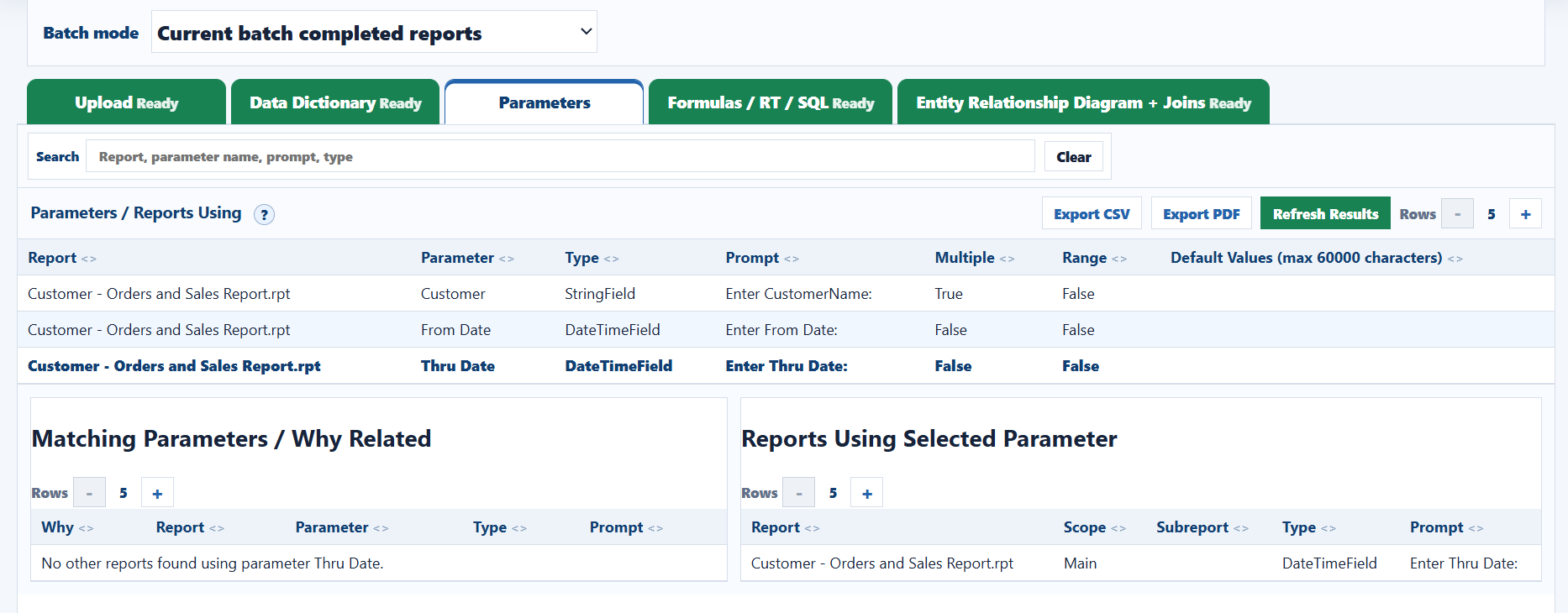
Review prompts, data types, defaults, ranges, and reuse.

The parameters tab shows report prompts and flags for multiple values and ranges. Selecting a row shows matching parameters and every report using that parameter.

  • Search report, parameter name, prompt, and type.
  • Default values are capped to the MDB-safe max column length.
  • CSV/PDF exports follow the current list order.
CRAnalyzer Parameters tab with matching parameters and reports using selected parameter
Selected parameter with related-parameter and usage panels.
Formulas / RT / SQL

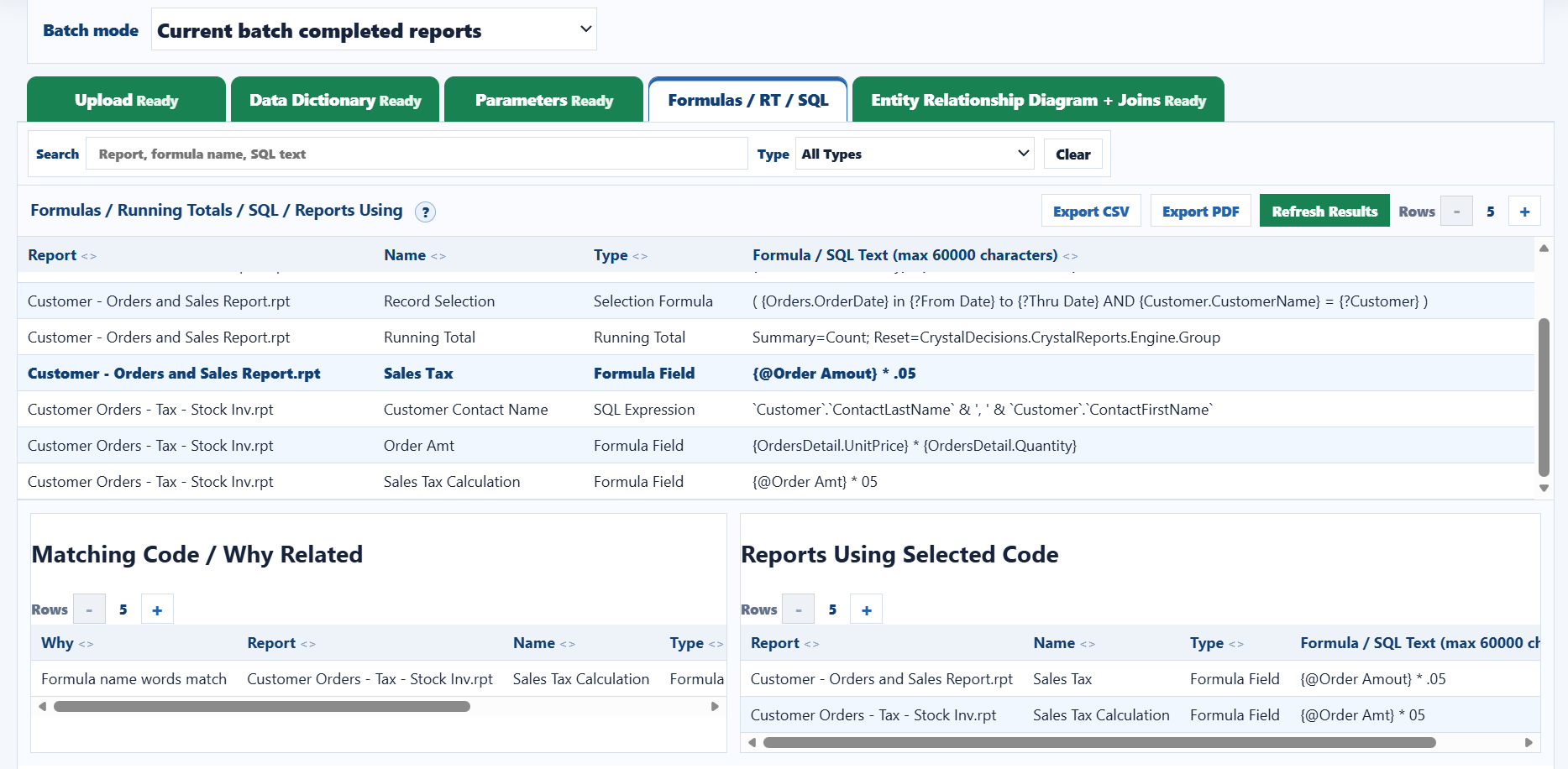
Find reports using similar formulas, running totals, or SQL.

Formula matching highlights reusable logic and near-name matches, making it easier to find reports that calculate or filter the same business rule.

  • Filter by formula field, running total, selection formula, or SQL expression.
  • Compare selected code against related report logic.
  • Export CSV/PDF for audit and migration review.
CRAnalyzer formulas running totals SQL tab with matching code and reports using selected code
Formula name and code matching across reports.
Verified Joins

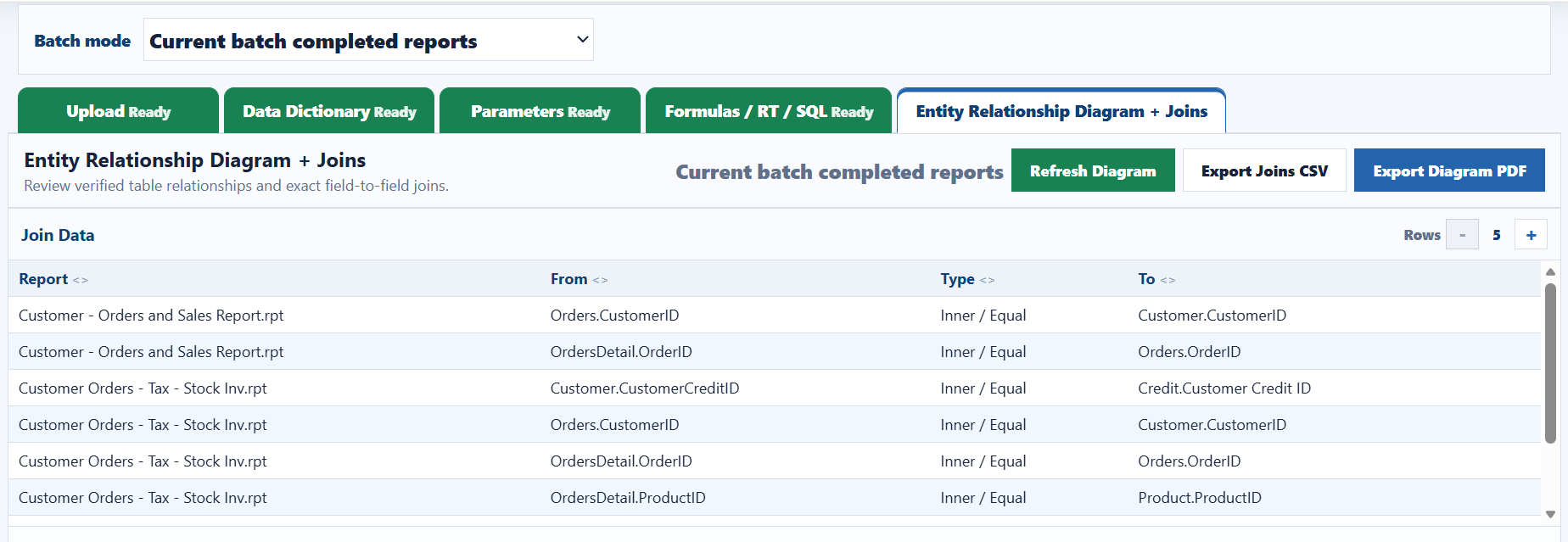
List exact Crystal join rows with report, from, type, and to.

The joins grid keeps the list focused on actual Crystal report relationship rows. It is export-ready and mirrors the ERD join details below.

  • Only verified join rows are listed.
  • Report, From, Type, and To columns match export format.
  • Rows can be reviewed by current batch or all completed reports.
CRAnalyzer Entity Relationship Diagram join data list
Verified join data for current batch completed reports.
Entity Relationship Diagram

Show keyed table cards and exact join details together.

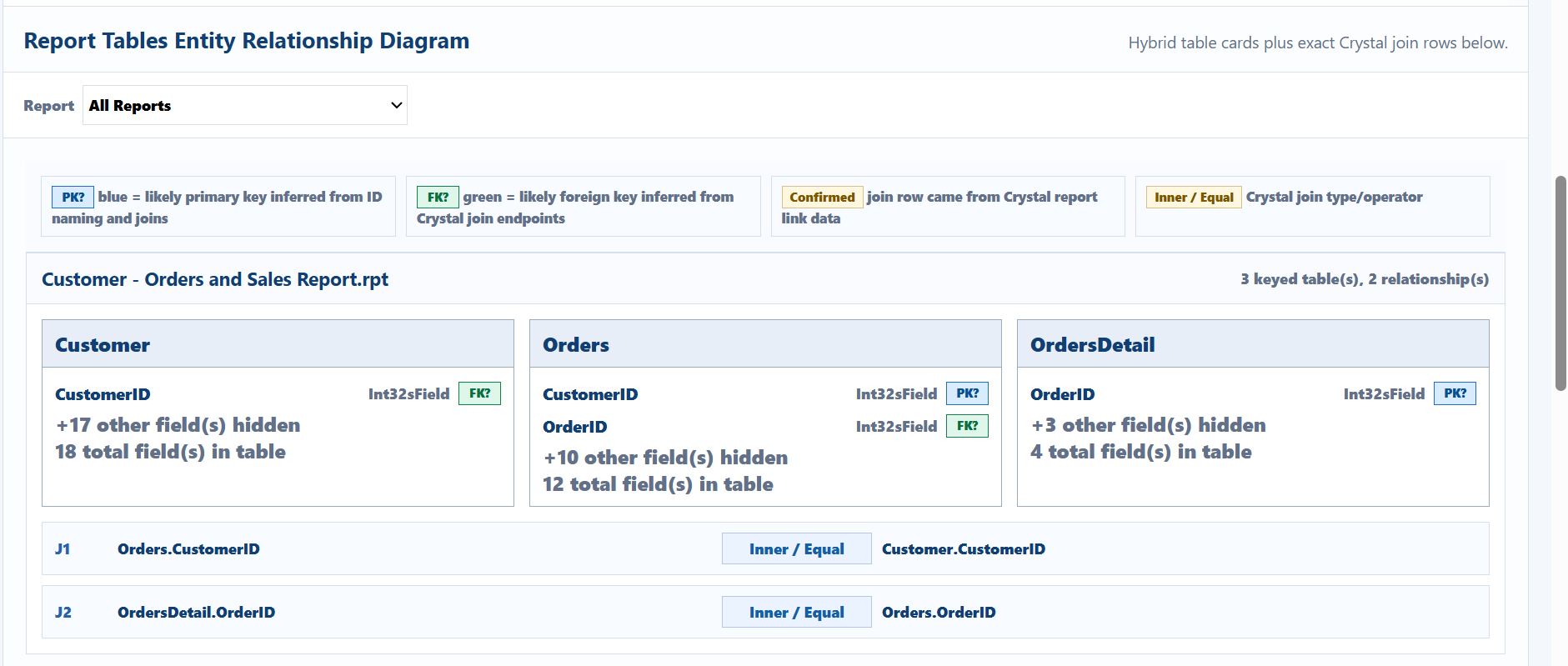
The ERD view summarizes likely PK/FK fields, hides non-key fields, and lists exact Crystal join rows below each report card. This gives both a quick map and the source join evidence.

  • Color-coded PK?/FK? badges explain inferred key roles.
  • Cards show hidden-field counts and total fields per table.
  • PDF export can fit multiple report join cards per page.
CRAnalyzer ERD table cards with PK FK badges and exact join details
ERD cards with keyed fields, relationship counts, and join rows.